We Screenshotted the 24 Most-Searched Email CSS Properties in Real Inboxes
We screenshotted two test emails on real installs and compared each shot with our simulation; most of the disagreements were Gmail on the web rendering CSS that published support tables still list as unsupported.
No signup · Five clients free, Outlook Classic included · All 21 with an account
The checker needs a computer screen.
A free account opens all 21 clients and keeps your checks for 7 days. Create a free account →
Philippe Kam, founder of Emailens · Published 14 Oct 2026 · Updated 16 Oct 2026
@emailens/engine 0.16.1 · data last changed 17 Oct 2026
Support tables tell you what a client did the last time someone checked. We sent two test emails to 43 real email clients, then put every screenshot next to our own simulation of the same client.
How we tested
We picked the 24 properties people search for most on our email CSS pages, from border-radius and object-fit down to display: flex. Each got one row in a test email, with a visual you can judge at a glance: a box with rounded corners, a bar that should stop at 200px, a block that turns green only if the animation runs.
Both emails went through a real-device check: real installs of Outlook 2003 to 2019 on Windows, Outlook for Mac, Apple Mail, iPhones and iPads, Gmail, Outlook.com, Yahoo and more, 43 clients in all. We then rendered the same emails in the Emailens simulation of each client and compared them row by row, in light mode, for the 8 clients both sides cover.
Every screenshot is on the matching feature page, real above, simulation below, so you can check our reading of them.
The results, client by client
| Client | Matched | Where they differed |
|---|---|---|
| Outlook for Microsoft 365 | 23 / 24 | animation |
| Outlook.com | 23 / 24 | animation |
| Outlook for Mac | 23 / 24 | wavy underline |
| Apple Mail (macOS) | 23 / 24 | wavy underline |
| Apple Mail (iPhone 13) | 23 / 24 | wavy underline |
| Yahoo Mail | 23 / 24 | box-shadow |
| Outlook 2016 (Windows) | 20 / 24 | padding on a div, animation, wavy underline, box-sizing |
| Gmail (web) | 17 / 24 | box-shadow, text-shadow, visibility, align-items, grid, flex gap, animation |
175 of 192 in total. Outside Gmail, 158 of 168. The misses group into four findings.
1. Gmail renders more CSS than the tables say
Gmail on the web drew an inline box-shadow, a text-shadow, honoured visibility: hidden, centred items with align-items, laid out a display: grid row and ran a @keyframes animation from a style block. The support data most tools build on, ours included, lists several of these as unsupported, so our simulation stripped them.
Real client

Emailens simulation

Real client

Emailens simulation
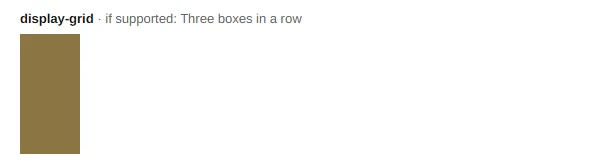
This was Gmail on the web in Firefox, signed in to a Google account. The Gmail apps were not part of the comparison, and Google has a history of treating account types differently, so test the app separately if most of your list reads there.
2. Animation never runs in Outlook
Outlook.com, Outlook for Microsoft 365 and Outlook 2016 all left the test block red: the animation never started. Apple Mail, Mail on iPhone, Outlook for Mac, Yahoo and Gmail ran it. Our simulation let it run in the three Outlooks, which was wrong.
Real client

Emailens simulation

Real client

Emailens simulation

The practical rule has not changed: make the first frame the finished design, so a client that ignores the animation still shows the email you meant.
3. A wavy underline can take the whole underline with it
text-decoration: underline wavy #d33 left no underline at all in Apple Mail, Mail on iPhone, Outlook for Mac and Outlook 2016: not the wave, not the colour, not the line. Gmail, Outlook.com, Microsoft 365 and Yahoo drew the red wave. Keep the line in a declaration of its own, such as text-decoration: underline, and add the style and colour as separate longhands, so a client that rejects them still underlines the link.
Real client

Emailens simulation

Real client

Emailens simulation

4. Outlook 2016 keeps padding on a div
The usual advice is to put padding on table cells because Outlook’s Word engine ignores it elsewhere. On a bordered div, Outlook 2016 kept the full 20px inset. Our simulation dropped it. Cells are still the safer habit, since Word’s handling of div boxes varies with what is inside them, but it is not the blanket loss the advice suggests.
Real client

Emailens simulation

What we are changing
The support data and the simulation both live in @emailens/engine, which is open source. Version 0.14.8 adds these observations to it as dated overrides, each pointing at the screenshot behind it, and corrects the simulation where it drifted from the real client. In a re-run of the same comparison, Gmail now matches on all 24 rows and Outlook 2016 on 23. The email CSS pages show the corrected simulation; the pairs in this post are kept as they were on the day.
A caveat on all of it: this is one run per client, on one day, in light mode. Clients change without notice, which is the point of checking.
Run the same check on your email
Simulation catches most of this in a second, on every plan. When the answer matters, a real-device check screenshots your own email in real Outlook, Apple Mail, Gmail and the rest. Your first one is free.
Questions
Does Gmail support box-shadow in email?
In our test on 14 October 2026, Gmail on the web (Firefox, a Google account) rendered an inline box-shadow, and also text-shadow, visibility: hidden, align-items, display: grid and a @keyframes animation from a style block. Published support tables, including the data our own tool was built on, still list several of these as unsupported in Gmail. The Gmail mobile apps were not part of this comparison.
Why does a wavy underline disappear in Apple Mail and Outlook?
In our test, Apple Mail, Mail on iPhone, Outlook for Mac and Outlook 2016 dropped `text-decoration: underline wavy #d33` entirely: no wave, no colour and no underline either. A declaration that only names the line, such as `underline`, is the safe form. Add the style and colour as separate longhands, or with the -webkit- prefix, so a client that ignores them still keeps the line.
Can I use CSS animation in Outlook?
Not in Outlook.com, Outlook for Microsoft 365 or Outlook 2016: in our test the animation never ran in any of them. Apple Mail, Mail on iPhone, Outlook for Mac, Yahoo and Gmail on the web did run it. Design the first frame as the finished state, so clients that ignore the animation still show something that makes sense.
How accurate is an email preview simulation?
Ours matched the real client on 175 of 192 comparisons here, 91%, and on 158 of 168 (94%) outside Gmail. Every miss is listed in this post. A simulation answers in a second and costs nothing per run; real screenshots settle the cases where it matters, which is why Emailens offers both.
Your next question
Paste the email that broke.
No signup · Five clients free, Outlook Classic included · All 21 with an account
The checker needs a computer screen.
Get new email CSS fixes by email, or follow by RSS.