Your email looks right to you.
Your client opens it broken.
Gmail, Outlook and dark mode change how your email looks after you send it. A button goes blank, a logo disappears, the layout falls apart, and that is the version your client, or your customer, judges you by. Find it and fix it before you send.
Previews open on a computer
A broken email can cost you the client.
You may never hear about it. Your client forwards it to their boss with the logo missing. A customer looks for the button, finds a blank space, and moves on.
“We have a client who, when receives our test emails for approval, is having some serious issues with the design layout.”
Emailens checks for all three, on the free plan. Check your email, free
Same email, different inbox
What you sent, and what your client opened
Left: the email as you built it. Right: the same email as their inbox draws it, simulated. Switch inboxes to compare.
spoiler: it's Outlook
Showing 7 of the 21 inboxes Emailens simulates.
+14 more. See full report
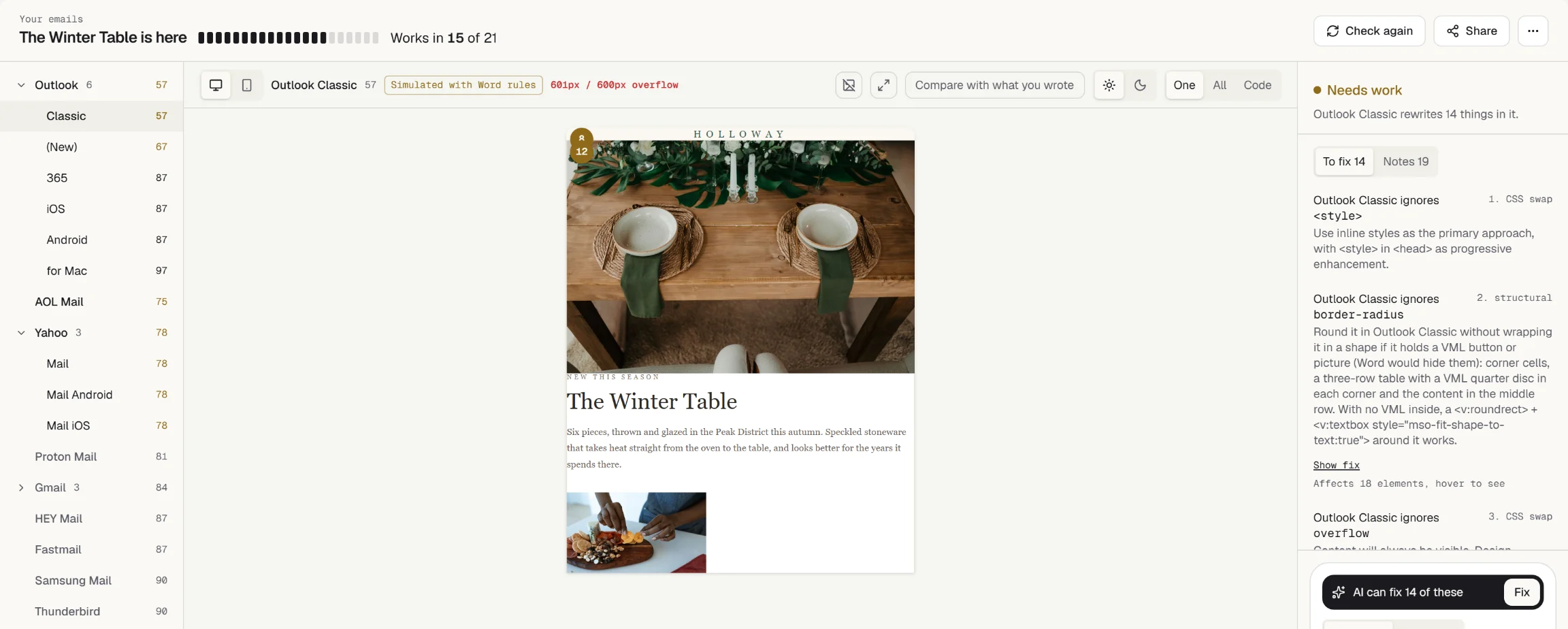
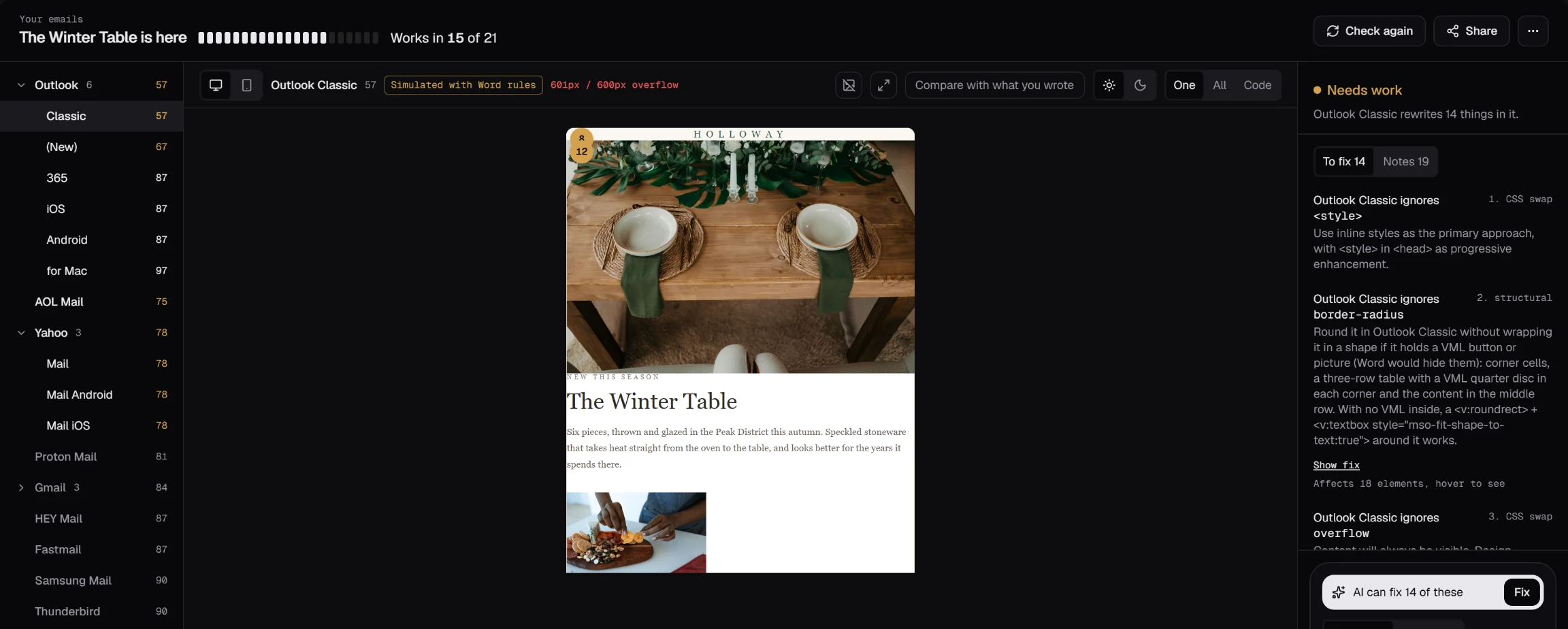
Know exactly what broke, and how to fix it
Every problem names the inbox it breaks in and comes with the fix, written in your framework. This is what Emailens says about the email above.
- <div style="display: flex; gap: 16px;">- <div>Item 1</div>- <div>Item 2</div>- <div>Item 3</div>- </div>+ <table role="presentation" cellpadding="0"+ cellspacing="0" border="0">+ <tr>+ <td style="padding-right: 16px;">Item 1</td>+ <td style="padding-right: 16px;">Item 2</td>+ <td>Item 3</td>+ </tr>+ </table>Use padding or margin on child elements instead of gap.
- <Row style={{ gap: "16px" }}>- <Column>Item 1</Column>- <Column>Item 2</Column>- <Column>Item 3</Column>- </Row>+ import { Row, Column } from "@react-email/components";+ + {/* Use padding on Column; gap is not supported in email clients */}+ <Row>+ <Column style={{ paddingRight: "16px" }}>Item 1</Column>+ <Column style={{ paddingRight: "16px" }}>Item 2</Column>+ <Column>Item 3</Column>+ </Row>Use padding style prop on Column instead of gap (email-safe spacing).
- <mj-raw>- <div style="display: flex; gap: 16px;">- <div style="flex: 1;">Column 1</div>- <div style="flex: 1;">Column 2</div>- </div>- </mj-raw>+ <!-- Flexbox in MJML is not Outlook-compatible.+ Use mj-section and mj-column: MJML compiles these to table-based layouts. -->+ <mj-section>+ <mj-column width="50%">+ <mj-text>Column 1</mj-text>+ </mj-column>+ <mj-column width="50%">+ <mj-text>Column 2</mj-text>+ </mj-column>+ </mj-section>Replace flexbox (from mj-raw or inline styles) with mj-section and mj-column.
- <div class="flex gap-4">- <div>Item 1</div>- <div>Item 2</div>- <div>Item 3</div>- </div>+ <!-- gap is not supported in Outlook or many email clients.+ Use padding classes on child elements instead. -->+ <table role="presentation" cellpadding="0" cellspacing="0" border="0">+ <tr>+ <td class="pr-4">Item 1</td>+ <td class="pr-4">Item 2</td>+ <td>Item 3</td>+ </tr>+ </table>Use padding classes on the children instead of gap. Same markup in a v5 HTML file and inside a v6 <template>..
Every check also looks for
-
Buttons that go blank in Outlook
One VML shape nested in another, and every Outlook button after it loses its text. Ghost tables and bad corner sizes too.
-
Logos and text lost in dark mode
Every colour pair re-checked after an inbox inverts the email.
-
Raw merge tags a customer would see
Unfilled Handlebars, Mailchimp and AMPscript tags, caught before they ship.
-
Things that look like spam
Shouting caps, image-heavy layouts, a missing unsubscribe link.
-
Emails some readers can't read
Contrast, alt text, heading order, lang and table semantics.
-
Emails that scroll sideways on a phone
Fixed widths and unbreakable strings that push the layout off screen.
-
Links that go nowhere
Broken hrefs, insecure links, empty mailto and vague link text.
-
Cut-off subject lines
Subject and preheader truncation per inbox. Gmail clipping, which hides the bottom of the email, on Dev.
-
Backgrounds and fonts that fall back badly
Gradients with no fallback colour, fonts with no web-safe stack.
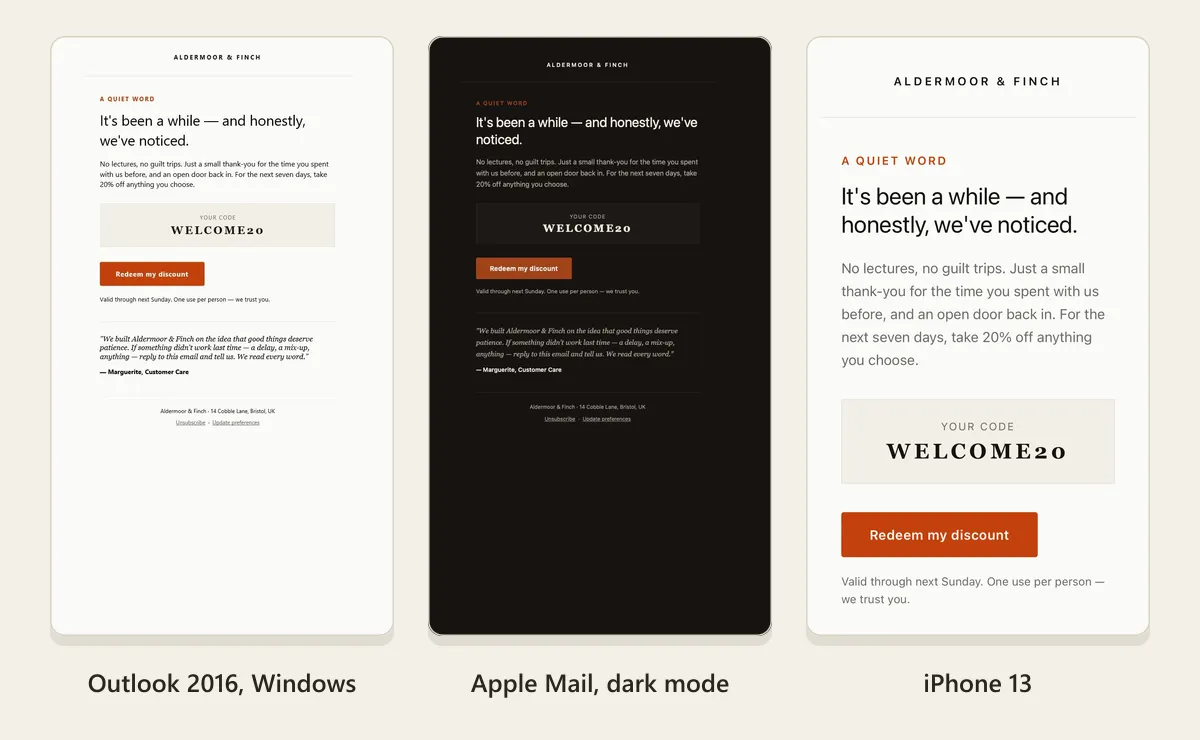
Then see it on real devices
One click screenshots the email in real Outlook, Apple Mail and Gmail, next to the simulation. Your first check is free.
Or let it fix itself, design kept
AI Fix is an agent: it looks at your email in the inbox, fixes what breaks there, from the CSS Gmail drops to rounded cards in Outlook, and re-checks every change in all 21 inboxes. It won't hand you a fix that flattens your design. Your coding assistant can run the same checks.
preview_email audit_email fix_email
-
Not using an assistant? Ask AI Fix in plain words, or let it fix what the check found. Three AI Fixes come with every free account. See how it works
-
Still in Figma? Score the frame before anyone writes code. Get the plugin
{
  "mcpServers": {
    "emailens": {
      "command": "npx",
      "args": ["-y", "@emailens/mcp"]
    }
  }
}emailens/action@v1, threshold 70
✗ emails/welcome.html 66 worst: Outlook Classic
✓ emails/order-shipped.html 97 worst: Gmail iOS
✓ emails/summit-invite.html 97 worst: Gmail iOS
1 of 3 emails below 70. Check failed, the pull request is blocked.
# .github/workflows/emails.yml
on: pull_request
jobs:
  email-qa:
    runs-on: ubuntu-latest
    steps:
      - uses: actions/checkout@v4
      - uses: emailens/action@v1
        with:
          pattern: "emails/**/*.html"
          threshold: "70"
# exits non-zero when an email breaks a client
$ npx @emailens/cli lint 'emails/*.html'
# machine-readable, for your own scripts
$ npx @emailens/cli lint email.html --json
# strict: warnings fail the build too
$ npx @emailens/cli lint email.html --fail-on-warningStop it reaching production
Lint every email on every pull request. A change that breaks an inbox fails the build, like any other test, before a customer sees it.
The engine, CLI and MCP server are open source. See the repos
Add the GitHub ActionTest what your app really sends
Templates pass review and still break once your app fills them in. Send the real thing to a sandbox inbox.
Test inbox
Send to smtp.emailens.dev:2525All inboxes
-
Your sign-in code
auth@example.com · now
-
Your order has shipped
orders@example.com · 11:58
-
Reset your password
auth@example.com · 11:40
When your app sends
220 smtp.emailens.dev ESMTP
EHLO app.example.com
STARTTLS
AUTH PLAIN ••••••••
MAIL FROM:<auth@example.com>
RCPT TO:<inbox+signup@try.emailens.dev>
250 Captured in your sandbox, not delivered
Checked on arrival
- SPF pass
- DKIM pass
- DMARC pass
- Works in 19 of 21
Sign-in code
482913
GET /api/sandbox/v1/messages/wait
200 · your test submits the code
SMTP relay smtp.emailens.dev:2525
or mail inbox+…@try.emailens.dev
Keep reaching the inbox
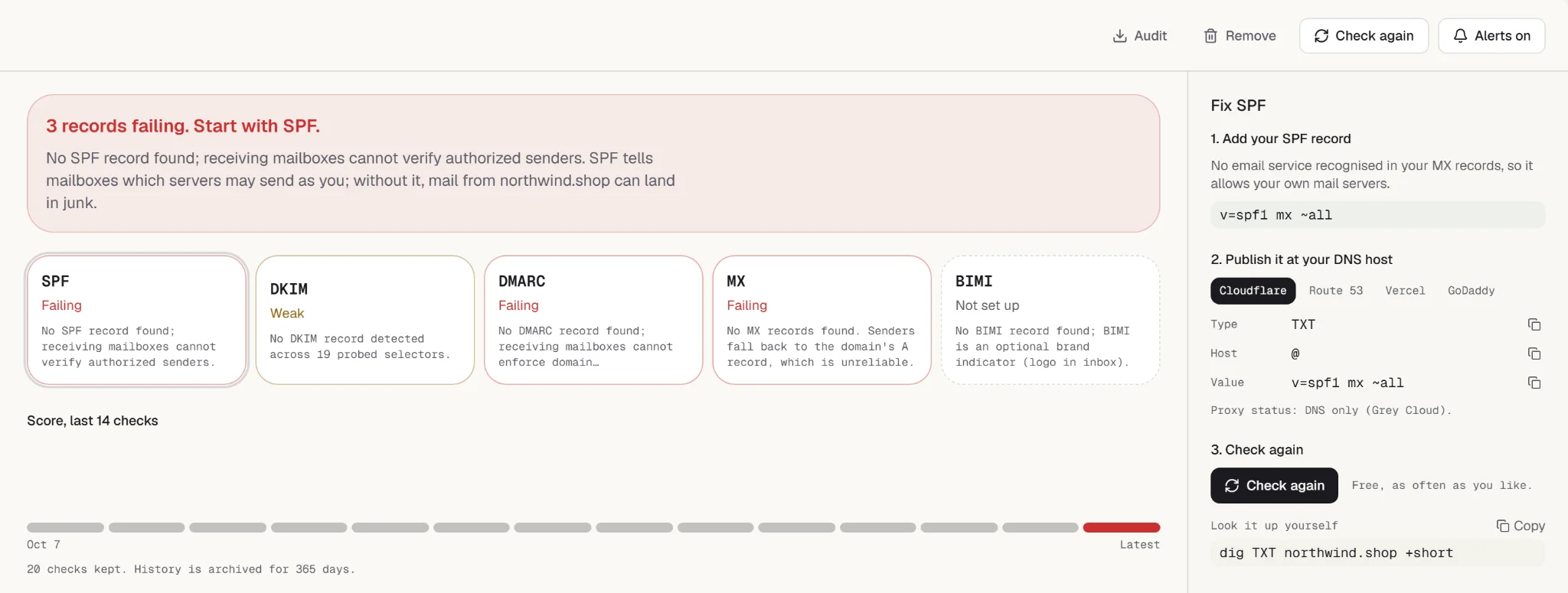
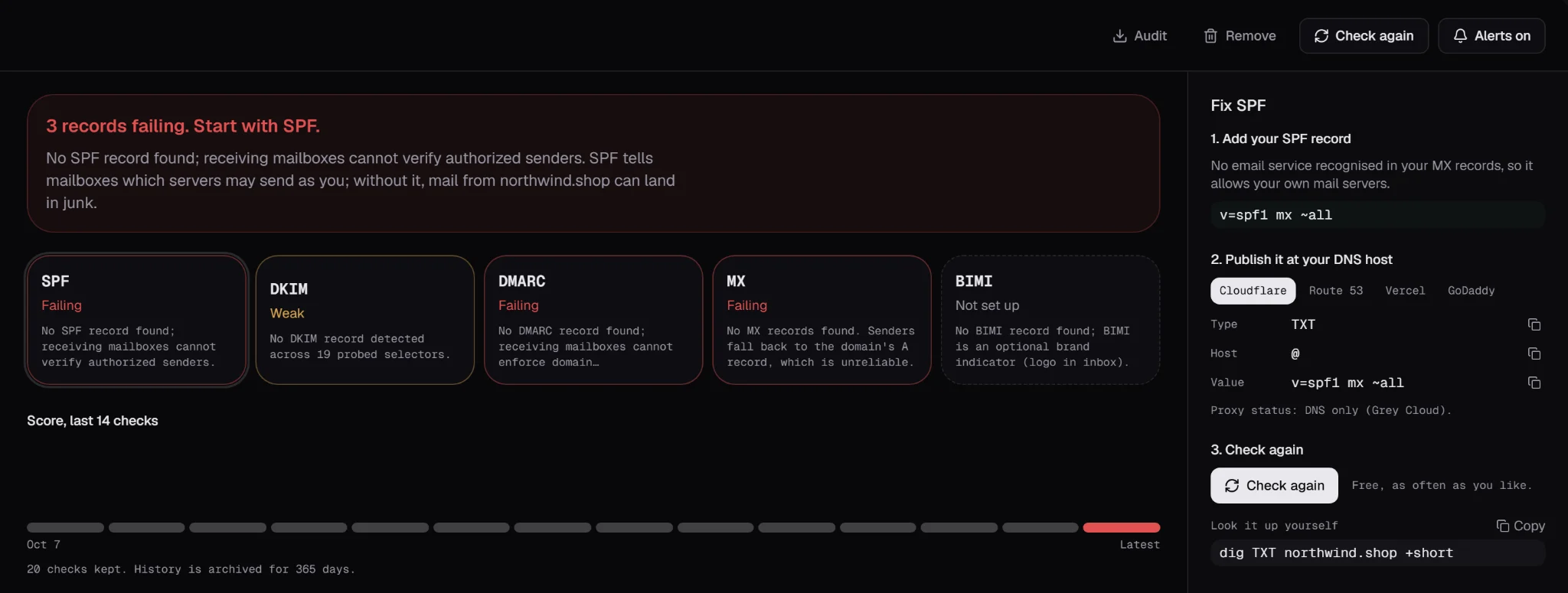
A perfect email in the spam folder still failed. Emailens checks the domain you send from every day.
-
DMARC reports, read for you. Point your rua address at Emailens and see who sends as you, and who fails.
-
An email when it drifts. A record changes or a new source starts failing, and you hear first.
Every inbox, on every plan.
Free forever. Dev from $9 a month.
All 21 inboxes on every plan. No per-seat fees, no sales call, cancel anytime.
Two months free on Dev and Pro when billed yearly
Free
The whole engine, 30 checks a day
- 30 checks a day
- All 21 email clients
- 1 generated inbox · 100 test emails/mo
- Receive mail at a private @try address
- Captured-message inspection & OTP/link extraction
- CSS compatibility report
- Dark mode preview
- 1 monitored domain · DNS check
- 7-day audit & sandbox history
- 3 AI Fixes to try
- 1 real-device check to try
- MCP server · 7 local tools
Dev
For one developer: 100 checks a day, an API key and a test inbox
- 100 checks a day
- 5 generated inboxes · 5k test emails/mo
- Send through sandbox SMTP or to @try inboxes
- REST API · 1 key · inspect captured mail in CI
- 3 monitored domains · SPF, DKIM, DMARC
- 30-day pre-flight audit & sandbox history
- Share links & Visual Diff
- HTML size & 102KB clipping checks
- MCP screenshots + sharing
- AI Fix · 10/mo + Builder · 3 builds/mo
Pro
RecommendedThe pre-send gate in CI, and the history behind every check
- 50 real-device checks a month · real Outlook, Apple Mail and webmail
- Re-check the same email free for 7 days
- Pre-send gate · spam heuristics & regressions
- 25 generated inboxes · 50k test emails/mo
- Send through sandbox SMTP or to @try inboxes
- CI email QA · GitHub Action
- 10 monitored domains · drift alerts
- 90-day sandbox & 1-year audit compliance
- Unlimited checks · all 21 clients
- Full API access · 10 keys
- AI Fix · 50/mo + AI Builder · 30 builds/day
- MCP unlimited screenshots
- Everything in Dev
Prices exclude applicable sales tax, VAT, or GST (calculated at checkout based on location). Cancel anytime. Upgrade or downgrade in one click.
See what your client sees. Check it before you send.
Paste the HTML and see five inboxes, Outlook Classic included. No account needed.
Check your email, freeWhy I built Emailens
Hi, I'm Philippe, and I build Emailens on my own.
I once spent three days working out why a welcome email looked perfect in Apple Mail and completely broken in Outlook. The fix was a single CSS property. The tools that show you this cost more than I could justify for a few emails, and I wanted one a freelancer could pay for without asking anyone.
AI didn't fix it. An assistant writes an email in seconds, but it never sees how that email looks in Outlook, and nothing hands the result back to be fixed. Emailens is that loop.
The open-source engine has been downloaded 35,000+ times, over half of that in the last month.
So I build Emailens with three things in mind:
- Affordable. Every plan simulates all 21 clients, starting free. Screenshots on real devices start at $19 a month, not hundreds.
- Open source. The engine, the CLI and the MCP server are on GitHub. Read the code, or run it yourself.
- Built for AI assistants. Claude or Cursor checks the email it just wrote and fixes what breaks, before you ever see it.